
Supply Chain Management Software: Types and How to Choose
What supply chain management software is, the main types, and how to choose the right one. Clear, vendor-neutral guide from Parallel Loop.
TL;DR
- Supply chain management (SCM) software is an integrated toolset that manages the full flow of goods, from procurement to delivery.
- Main types: transportation management (TMS), warehouse management (WMS), inventory management, order management, supply chain planning, and supplier relationship management (SRM).
- ERP and MRP systems often sit underneath, tying finance and production to the supply chain.
- Choose by the gap you feel most: shipping, stock accuracy, warehouse throughput or supplier coordination. Start there, integrate the rest.
What is supply chain management software?
Supply chain management software is an integrated set of tools that plans, executes and tracks the movement of goods across the supply chain, from sourcing raw materials through to delivering the finished product. It connects procurement, inventory, warehousing, transportation and supplier management so teams work from one source of truth instead of disconnected spreadsheets.
The short answer
SCM software is not one product. It is a family of connected systems. Pick the type that fixes your biggest bottleneck first, then integrate outward. For a full primer on the category, see what is supply chain software.
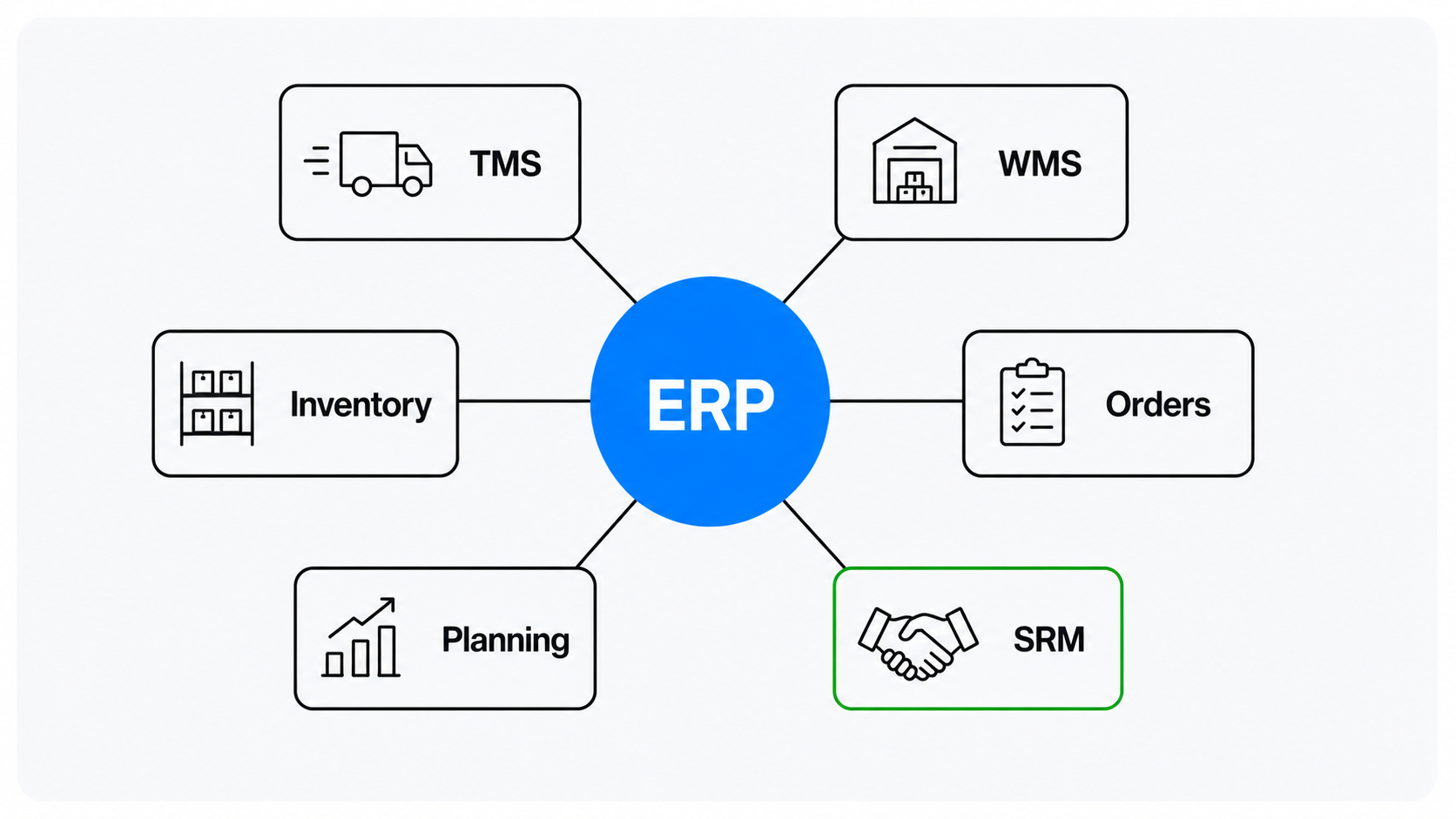
The main types of supply chain management software
| Type | What it manages | Read more |
| Transportation (TMS) | Planning, dispatch, freight, tracking | See TMS development |
| Warehouse (WMS) | Receiving, picking, packing, shipping | See WMS guide |
| Inventory | Stock levels, reorder points, accuracy | See inventory software |
| Order management | Order capture to fulfilment | Covered in the pillar |
| Planning | Demand, supply and capacity planning | See ML supply chain |
| Supplier (SRM) | Sourcing and supplier coordination | Covered in the pillar |
ERP and MRP systems often sit beneath these, connecting finance, production and the supply chain, per AIMS and Acumatica.
How to choose the right supply chain software
- Start with the pain. Shipping costs, stockouts, slow picking or supplier chaos each point to a different type.
- Check integration. Whatever you choose must connect to your ERP and existing tools.
- Plan for scale. Pick systems that grow with SKU count, warehouses and order volume.
- Decide build vs buy. Standard flows favour packaged tools; non-standard flows favour a custom build.
For the build-vs-buy call, see custom vs off-the-shelf supply chain software.
Off-the-shelf or custom?
Packaged SCM suites are strong when your operations look like everyone else's. Custom wins when your process is a competitive edge, when you need deep integration, or when per-seat pricing climbs faster than the cost of owning the software. See our supply chain software development service for how a custom build is scoped.
Not sure which system you need?
Book a free scoping call. We will look at your operation and tell you which type of supply chain software fixes your biggest bottleneck, and whether to buy or build. No sales pressure.
Frequently Asked Questions
What are the main types of supply chain management software?
The main types are transportation management (TMS), warehouse management (WMS), inventory management, order management, supply chain planning and supplier relationship management (SRM). ERP and MRP systems often sit underneath, connecting finance and production to the supply chain.
What is the difference between SCM software and ERP?
ERP is the broad backbone that runs finance, HR, production and more. SCM software focuses specifically on the flow of goods: inventory, warehousing, transportation and suppliers. In practice, SCM tools integrate with ERP so the two share one set of data.
How do I choose the right supply chain software?
Start with your biggest bottleneck. Shipping cost points to a TMS, stock problems to inventory software, warehouse throughput to a WMS, supplier issues to SRM. Then check it integrates with your ERP and can scale, and decide whether an off-the-shelf tool or a custom build fits your process.