
Business Process Automation Services BPA, RPA & AI-augmented workflows
Senior team automating ops workflows with Zapier, n8n, Microsoft Power Platform, UiPath, Automation Anywhere, Make, and Workato. AI-augmented where it earns its place. USD pricing.
We map your workflow, find the bottleneck, and tell you whether automation pays back. Honest math.
Get started in 60 seconds
Who we've built for.






How we work
- What we automate
- Ops workflows · Sales-ops · Finance-ops · Customer support · Data pipelines · Document workflows
- Platforms
- Zapier · n8n · Microsoft Power Platform · UiPath · Automation Anywhere · Make · Workato · custom Python on AWS
- AI integration
- OpenAI · Anthropic Claude · LangChain agents inside automation flows for exception handling and natural-language triggers
- Pricing in USD
- Single workflow from $3,000 · Multi-workflow program from $9,000 · Enterprise RPA build from $19,000
- Compliance
- SOC 2 · ISO 27001 · GDPR · HIPAA · audit logging on every automated action
- Output
- Working automations · runbooks · measured ROI per workflow
You already know what automation is. You are here to find a team that picks the right platform, ships the workflow, and proves the ROI before scaling. The rest of this page covers the platform decision, what we ship, how we run a build, what drives cost, and the questions every ops leader asks before signing.
Industries we serve hardest
Automation maturity and ROI varies sharply by sector. We have the deepest bench in five.
- Finance and fintechInvoice matching, three-way match (PO to receipt to invoice), reconciliation, regulatory reporting, KYC document processing.
- Retail and e-commerceOrder routing, refund flows, marketplace sync, customer-service triage, inventory adjustments.
- Logistics and supply chainShipment exception handling, ETA monitoring, supplier ops, EDI integration, carrier sync.
- ManufacturingMES data flows, production reporting, supplier integrations, quality-control workflows.
- Healthcare and life sciencesPrior authorisation, claims processing, patient onboarding, regulated document workflows under HIPAA.
Recent builds
Three recent automation builds.
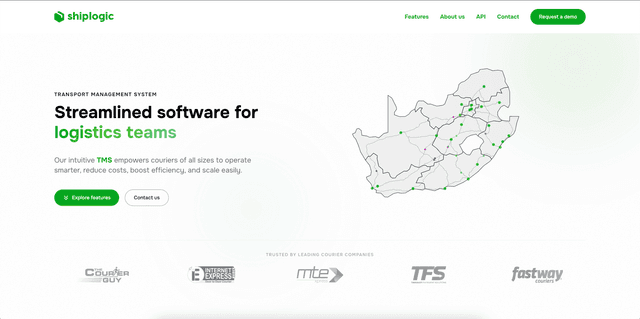
Order-routing automation across multiple carriers with exception-handling workflows.
Read case study →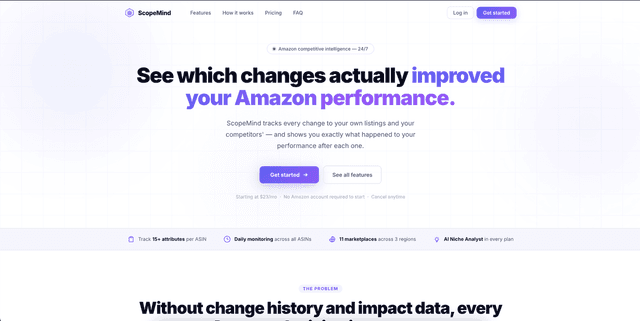
Real-time scrape plus pricing-rule automation feeding decision dashboards.
Read case study →
Regulated billing automation with audit logging and exception triage.
Read case study →Zapier vs. n8n vs. Power Platform vs. UiPath vs. Make vs. custom code
The platform decision shapes cost, governance, scalability, and what your team can maintain after launch. Here is how six common choices compare.
| Dimension | Zapier | n8n | Power Platform | UiPath / AA | Make | Custom Python |
|---|---|---|---|---|---|---|
| Best for | Light SaaS sync | Self-hosted custom | MS shop | Enterprise RPA | Visual workflows | Limits of platforms |
| Hosting | SaaS only | Self-host or cloud | Microsoft cloud | Cloud or on-prem | SaaS only | Your cloud |
| Custom code | Limited (filters) | Full JS/Python | Limited (PowerFx) | Yes (VB, Python) | Limited | Full |
| Cost at scale | Expensive | Low (self-host) | Mid (E3 inc.) | High | Mid | Variable |
| Compliance | SOC 2 | Self-managed | SOC 2, HIPAA | SOC 2, HIPAA | SOC 2 | You define |
| Time to first flow | Hours | Days | Days | Weeks | Hours | Weeks |
| Maintenance load | Low | Medium | Medium | High | Low | High |
| Audit trail | Basic | Configurable | Strong | Strong | Basic | Full custom |
BPA vs. RPA vs. AI agents — pick the right tool for the workflow
Three patterns, often combined. BPA (Business Process Automation) redesigns the workflow itself, then automates the new flow. RPA (Robotic Process Automation) automates the existing manual workflow without redesigning it. AI agents handle workflows that need judgement, natural-language understanding, or document extraction. Rule of thumb: if the workflow is fundamentally broken, redesign it (BPA). If the workflow works but humans are pushing buttons all day, automate the buttons (RPA). If the workflow needs reading a document and making a decision, add an AI agent. If you do not know which, the scoping call settles it in 20 minutes.
Per Forrester 2026 RPA market research, the global RPA market is projected to grow to roughly $30 billion by 2027. Forrester's primary finding: enterprises that combine RPA with intelligent document processing and decision-making AI see 2x to 3x the ROI of RPA-only deployments.
Decision rules of thumb. Use Zapier or Make for simple SaaS-to-SaaS automation where speed matters more than governance. Use n8n when data privacy requires self-hosting or you need custom JavaScript or Python inline. Use Power Platform when the organisation is already on Microsoft 365 and the workflow touches Outlook, Teams, SharePoint, or Dynamics. Use UiPath or Automation Anywhere for high-volume desktop RPA, enterprise governance, or when attended bots are part of the flow. Use custom Python on AWS Lambda or Temporal when platform constraints become the bottleneck.
Platforms we build on
Zapier and Make
For light SaaS-to-SaaS automation with limited custom logic. Fast to ship, easy to hand off to ops teams. Best when speed and ease matter more than self-hosting.
n8n
For self-hosted automation with code-level control. Best when data privacy, custom logic, or platform lock-in matter. Production-ready since v1.
Microsoft Power Platform
For organisations already on Microsoft 365 or Dynamics. Power Automate plus Power Apps for the UI layer plus Dataverse for the data layer. Best when the workflow touches Outlook, Teams, SharePoint, or Dynamics.
UiPath and Automation Anywhere
For enterprise RPA with attended and unattended bots. Best for high-volume desktop automation, regulated industries, or legacy-system bridging.
Workato
For mid-market integration platform with audit-grade controls and recipe-based workflows. Better at iPaaS than pure RPA.
Custom code
When platform constraints become the bottleneck. Typically Python on AWS Lambda with Temporal or AWS Step Functions for long-running workflows. Best for high-throughput, complex orchestration, or workflows with tight latency SLAs.
Capability detail: Zapier integration, n8n automation, Microsoft Power Platform, UiPath development, Automation Anywhere, robotic process automation, business process automation.
Use cases — concrete examples per industry
Finance: invoice three-way match
Receive supplier invoices via email or EDI. Extract line items via OCR plus LLM (Mistral OCR or AWS Textract plus GPT-4o for structured extraction). Match against purchase order and goods-receipt records in the ERP (NetSuite, SAP, Dynamics). Flag exceptions to a human-in-the-loop queue. Approved invoices go to AP automatically. Typical build 6 to 10 weeks. From $9,000. Typical ROI: 60 to 80% reduction in AP processing time.
Sales-ops: lead routing and enrichment
New inbound leads arrive in HubSpot or Salesforce. Enrich via Clearbit, ZoomInfo, or Apollo. Score using rule-based or ML model. Route to the right sales rep based on territory, vertical, deal size. Update CRM with enrichment plus score. Notify rep via Slack with context. Typical build 4 to 6 weeks. From $4,500.
Customer support: tier-1 ticket triage
Tickets arrive in Zendesk or Intercom. AI agent (OpenAI GPT-4o with RAG over help docs) classifies, suggests reply, attempts resolution. If confidence below threshold, escalates to human with full context. Typical build 8 to 12 weeks for production. From $12,000. Typical outcome: 30 to 45% of tier-1 tickets resolved autonomously.
Document workflow: contract review and routing
Inbound contracts (NDAs, MSAs, SOWs) parsed via LLM. Standard terms compared against your playbook. Non-standard terms flagged with suggested redlines. Routed to legal queue with summary. Typical build 6 to 10 weeks. From $10,500.
Industry benchmark
Per Gartner 2026 RPA cost survey, UiPath and Automation Anywhere enterprise licences run $4,000 to $12,000 per bot per year, plus implementation services typically 2x to 4x licence cost in year one. Our fixed-scope alternative ships RPA workflows from $12,000 including implementation.
How we run an automation build
Phase 1: Map (1 week)
Document the workflow as-is. Time each step. Identify the bottleneck honestly. We sit with your ops team for a day, sometimes literally watching them work, to understand what is actually broken vs. what they have learned to live with. Often the real bottleneck is upstream of where automation is being requested.
Phase 2: Design (1 week)
Redesign the workflow (BPA) or document the automation logic (RPA). Pick the platform based on the criteria table above. Write the workflow specification with explicit failure modes (what happens when an upstream system is down, when data is malformed, when a human action is required).
Phase 3: Build (2 to 6 weeks)
Ship and test against real data. Eval against the manual baseline measured in Phase 1. Two-week sprints with weekly demos. Bug fixes during the sprint; feature changes go to the v2 list.
Phase 4: Pilot (2 weeks)
Run in parallel with the manual workflow. Measure error rate, time saved, exception count. Tune the workflow against real volume. Train the ops team that will own it post-launch.
Phase 5: Roll out (2 weeks)
Decommission the manual workflow. Handover docs and runbook. Monitoring dashboards live with alerting. Weekly check-ins for the first month to catch drift.
What drives automation cost
Automation builds vary 3x to 5x in cost depending on six factors.
- Number of systems integrated. Two systems is baseline. Each additional system adds 20 to 30% depending on API maturity.
- Volume and SLA. Workflows running 100 transactions per day are baseline. Workflows running 10,000+ per day need queuing, retries, dead-letter handling, monitoring (+30 to 50%).
- Exception handling complexity. Simple workflows with happy-path-only logic are baseline. Workflows with 5+ exception types need branching logic, escalation queues, human-in-the-loop UI (+25 to 40%).
- AI involvement. Rule-based automation is baseline. Adding LLM-driven decisions adds 20 to 40% for the AI build plus monthly token cost.
- Compliance requirements. SOC 2 audit logging, HIPAA BAA, GDPR data-subject-deletion across workflow data adds 15 to 30%.
- Maintenance burden. Platform-managed (Zapier, Make) is baseline. Self-hosted (n8n) or custom code adds 10 to 20% to ongoing maintenance retainer.
Pricing
Single workflow automation
From $3,000
- One workflow, two to four tool integrations.
- 2 to 4 week build.
Multi-workflow program
From $9,000
- Five to ten linked workflows, eval harness, monitoring.
- 8 to 12 week build.
Enterprise RPA build (UiPath or AA)
From $19,000
- Attended and unattended bots, orchestrator, IT Center of Excellence handover.
- 12 to 20 weeks.
AI-augmented automation
From $6,000
- Workflow with LLM-driven exception handling or natural-language triggers.
- 4 to 8 weeks.
Three-way match (AP automation)
From $9,000
- OCR plus LLM extraction plus ERP integration.
- 6 to 10 weeks.
Maintenance retainer
From $1,750 / month
- Workflow monitoring, error triage, platform updates, small changes.
FAQ
BPA when the workflow needs redesigning. RPA when the workflow works but humans push the buttons. AI agents when the workflow requires judgement or natural-language understanding. We use all three in combination on most enterprise builds.